 inlet
Get paid like
a business.
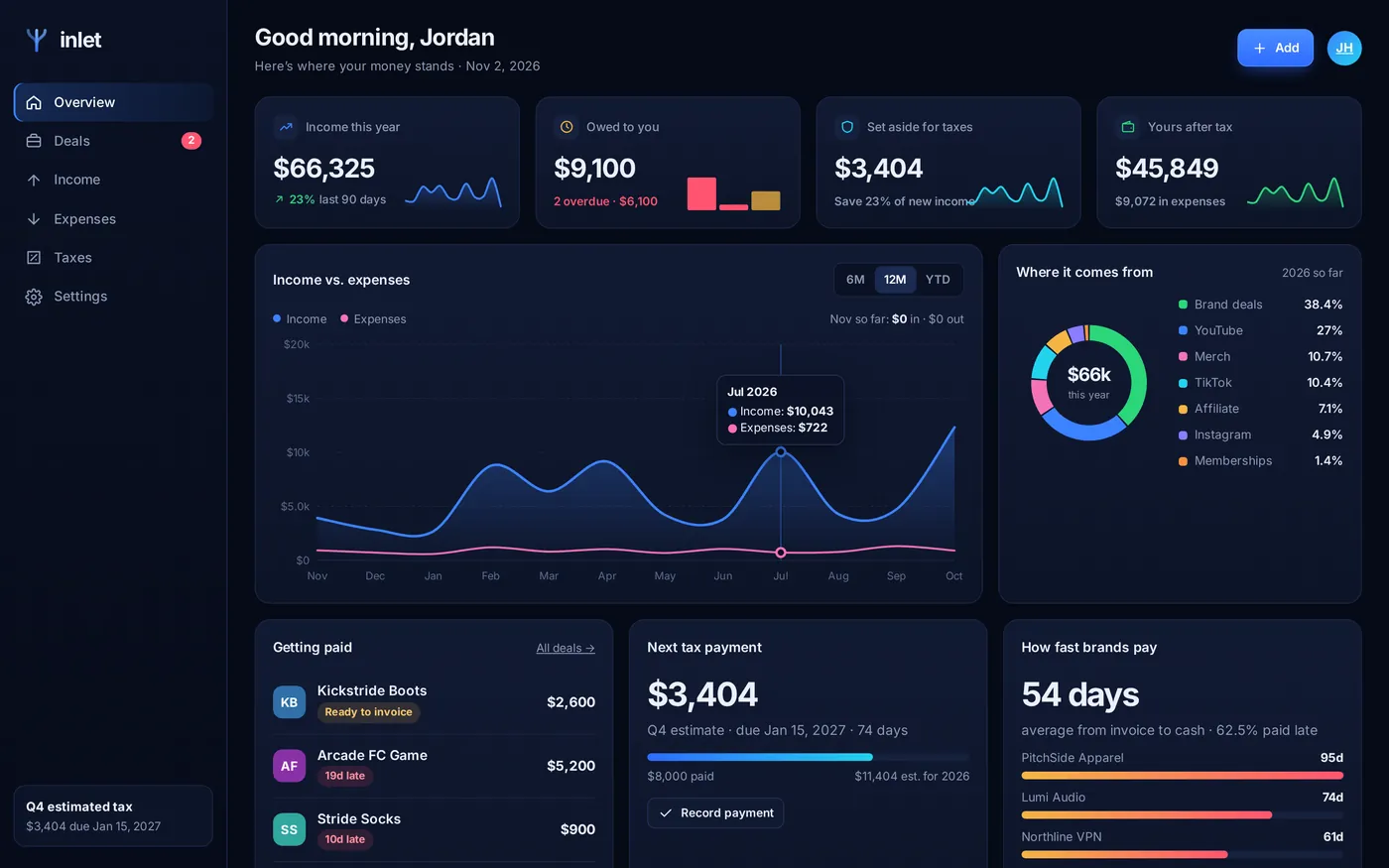
Inlet tracks every brand deal from pitch to paid, nudges the brands that pay late, and tells you exactly what to set aside for taxes. Every income stream in one place, so the money in your account is actually yours.
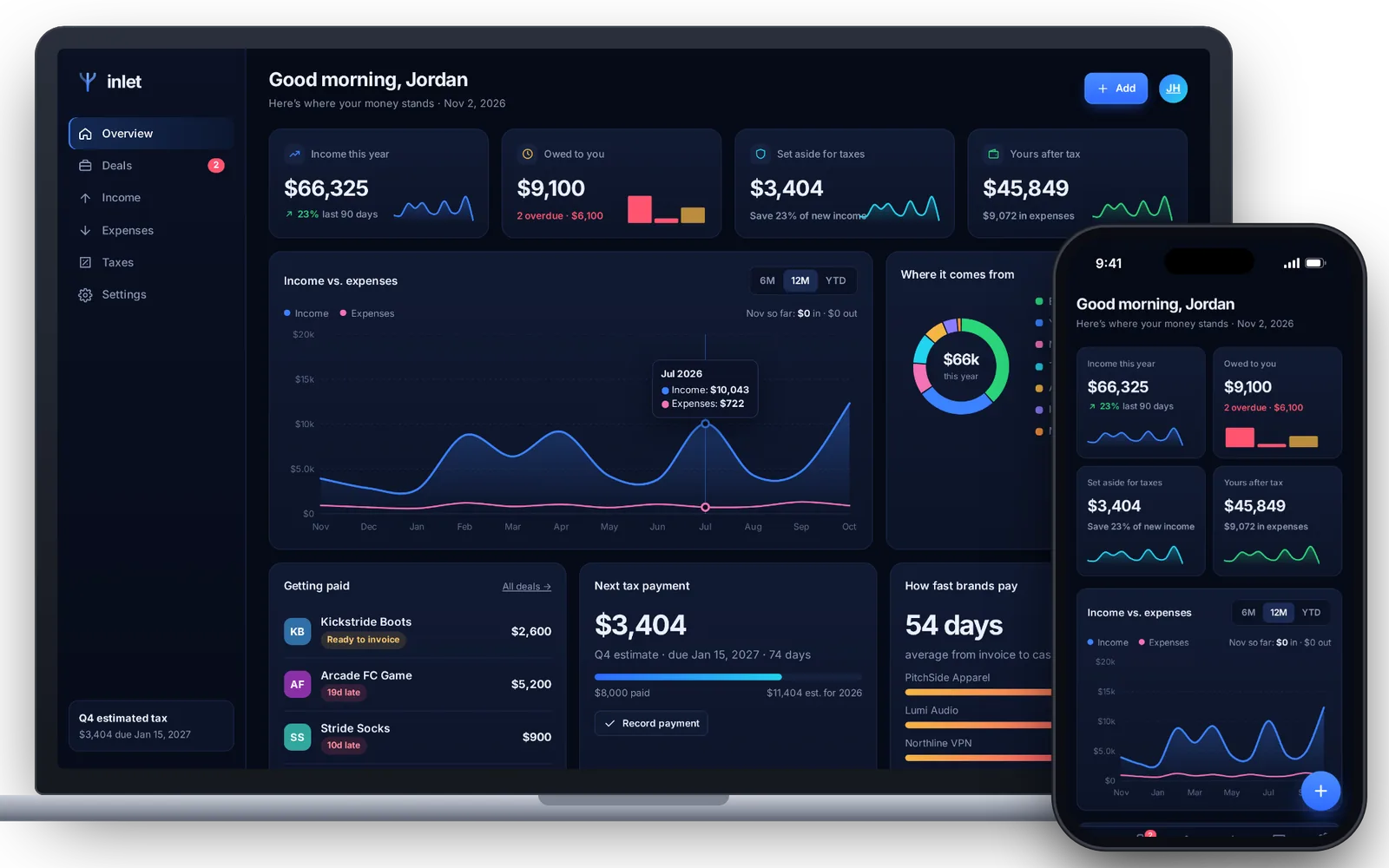
Your money, run like a business. Without the spreadsheet.
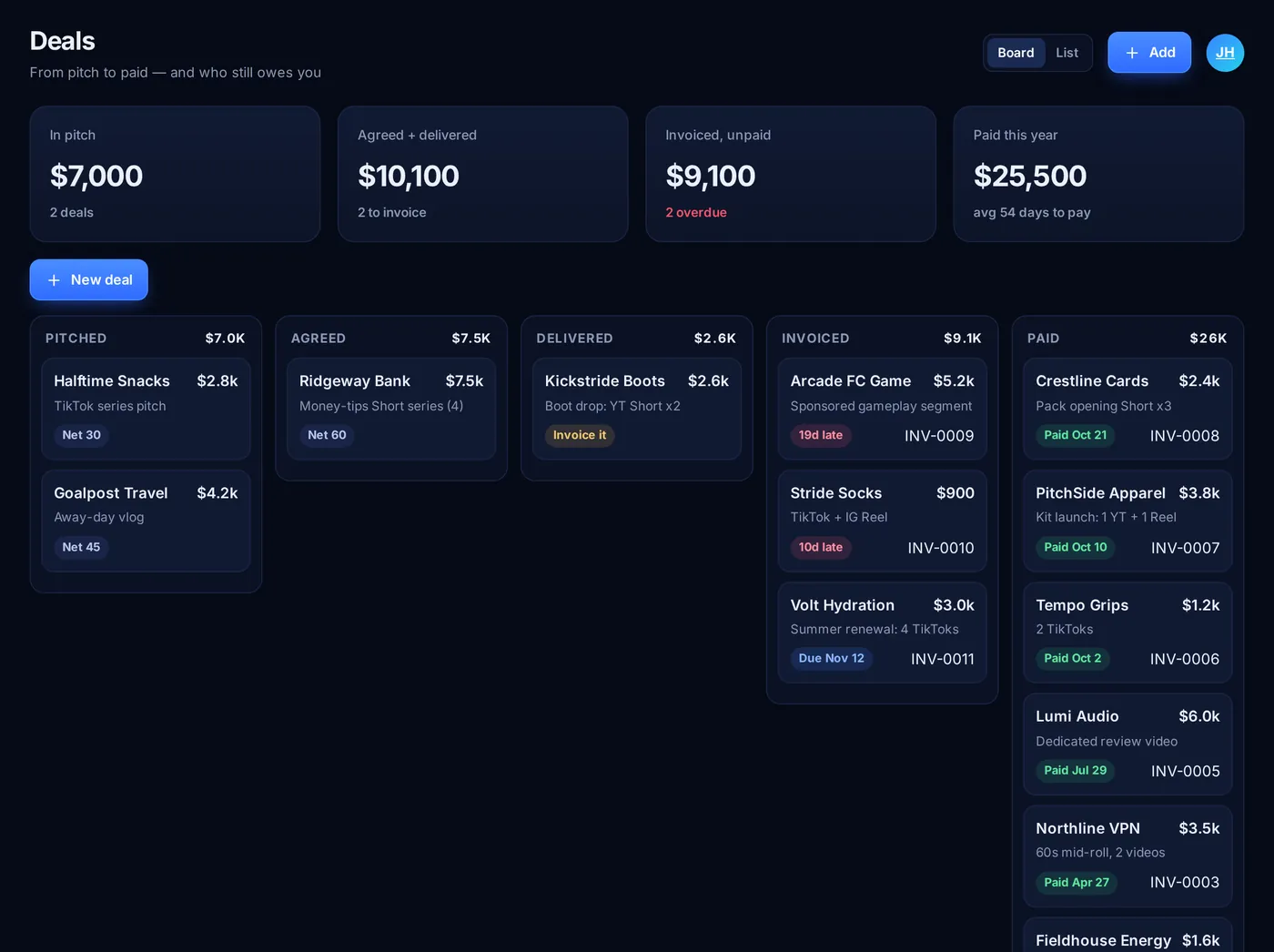
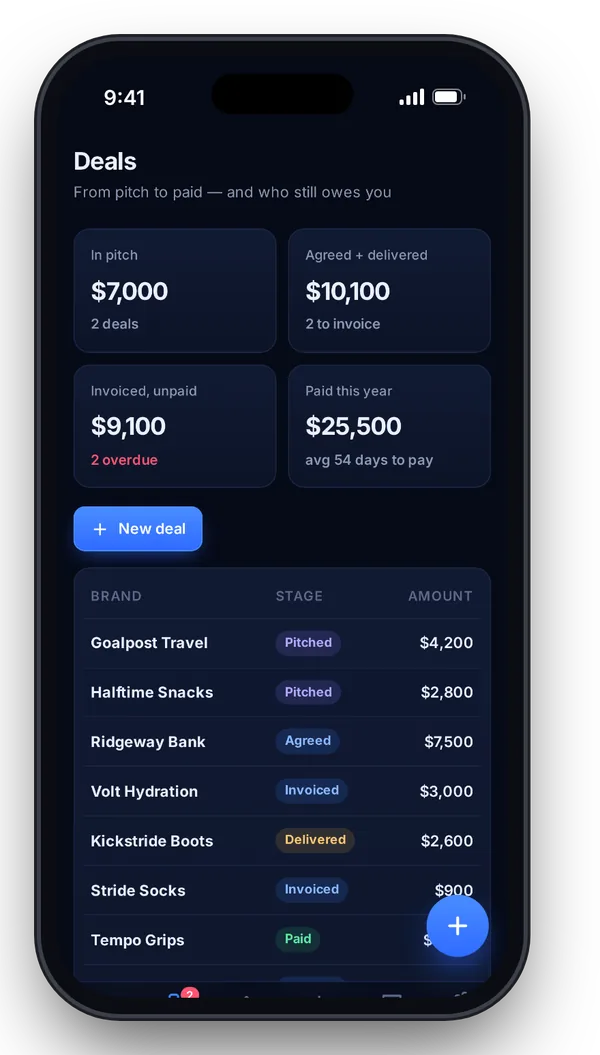
From “sounds great!” to cash in hand
Log a deal the moment it’s agreed. Move it to delivered, and Inlet writes the invoice with your terms and the due date already worked out. When a brand blows past Net 60, you’ll see it in red, along with a polite nudge email that’s already written.
- Pipeline: pitched → agreed → delivered → invoiced → paid
- Clean invoices you can print or save as a PDF
- See which brands pay slow, by the day
Know your number before April does
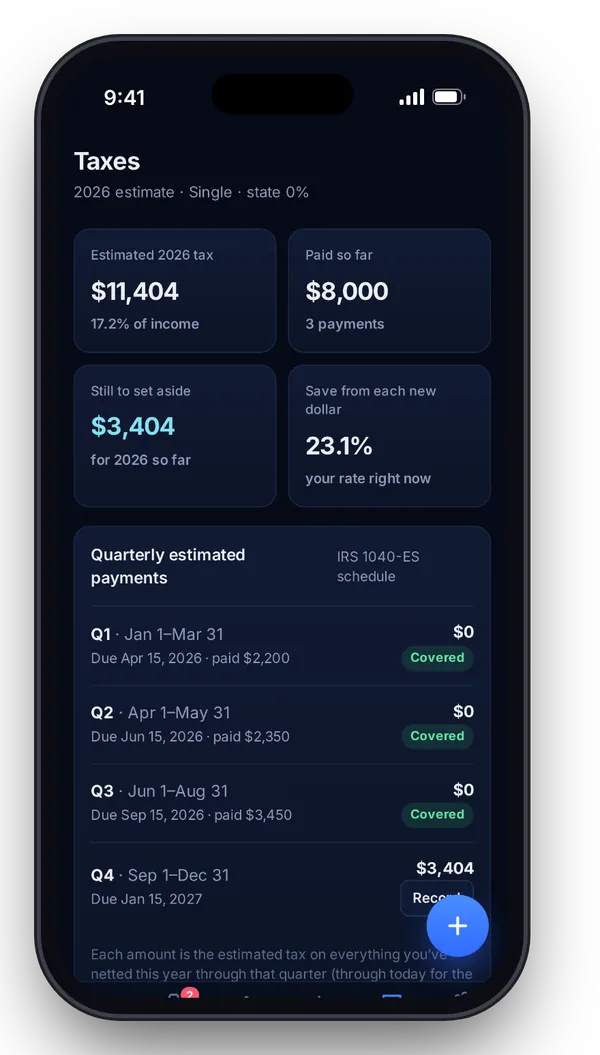
Inlet works out your tax on what you’ve actually netted, using 2026 federal brackets, self-employment tax, the standard deduction and your state rate. It splits it into the IRS’s four quarterly deadlines and tells you what to save from every new dollar.
- Quarterly estimates with the real 1040-ES due dates
- “Save 23% of new income”, updated as you earn
- Every step of the math shown, nothing hidden
Every platform, one honest total
AdSense, TikTok rewards, Reels payouts, affiliate links, merch and memberships all land in one place. Drop in a CSV from your bank or a platform, map the columns once, and see where your money really comes from, month by month.
- Import any CSV with a date and an amount
- Income vs. expenses chart, built from your own numbers
- Export to CSV for your accountant in one tap
Set up in a minute. Useful from the first deal.
Free while we’re in early access.
Everything is unlocked during early access. These are the plans at launch, and early users keep their first year of Pro free.
Starter
For your first brand deals.
- Up to 5 open deals
- Income & expense tracking
- Yearly tax estimate
- Install on any device
Pro
or $96 a year. For creators earning from 3+ streams.
- Unlimited deals & invoices
- Late-payment nudges
- Quarterly tax planner
- CSV import & export
- Brand payment speed tracking
Manager
For managers running up to 10 creators.
- Everything in Pro
- A dashboard for each creator
- Combined “owed to us” view
- Coming in 2027
Questions creators ask
Where is my data stored?
On your device, in your browser’s storage. Inlet has no account and no bank login, and your numbers aren’t uploaded anywhere. Use Settings → Download backup to keep a copy or move to another device.
Does it connect to my bank or YouTube?
Not yet. Today you add entries by hand or import a CSV from your bank or a platform’s payout report. Direct connections are on the roadmap.
Is the tax number exact?
It’s an estimate built from 2026 federal brackets, the standard deduction, the 20% qualified business income deduction, self-employment tax and a flat state rate you choose. It assumes creator income is your only income. It isn’t tax advice, so check big decisions with a tax pro.
I’m not in the US. Can I use it?
Deals, invoices, income, expenses and charts work anywhere. The tax screen uses US federal rules.
How do I put it on my phone?
Open the app in Safari, tap Share → Add to Home Screen. It opens full-screen and works offline. On desktop Chrome or Edge, use the install icon in the address bar.
What happens after early access?
Starter stays free. Everyone on the waitlist gets their first year of Pro free when paid plans start. We’ll email you before anything changes.
Get early access perks
Join the waitlist for a free year of Pro at launch, plus a heads-up when bank sync lands.